TradingView — Understand the Market, Starting with Professional Charts

Download TradingView for desktop and mobile to follow stocks, forex, futures, indices, and crypto. Get professional charts, technical indicators, market screeners, price alerts, Pine Script, and more. This overview does not constitute investment advice.

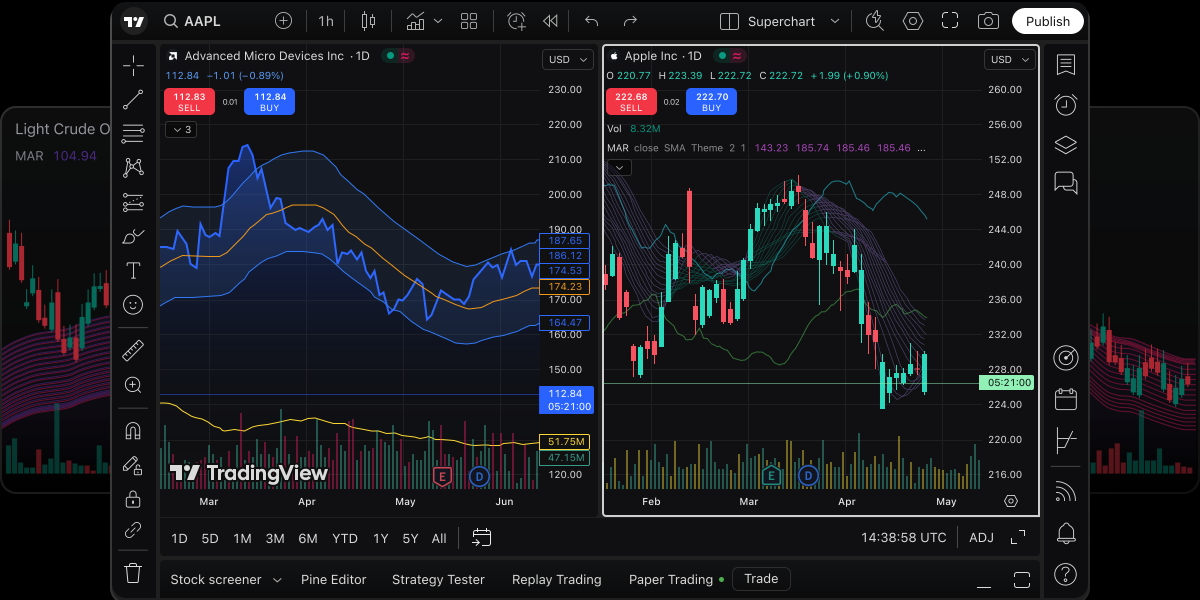
TradingView product image: professional charts and analysis interface

Feature highlights

TradingView charts, alerts, screeners, and multi-device sync

From charting to alerts, screeners, and multi-device sync, TradingView brings everyday analysis into one toolkit — available on desktop, mobile, and in the browser.

  • Chart analysis

    View markets, switch timeframes, and overlay indicators and drawing tools in one workspace. Multi-chart layouts help with pre-market review and intraday monitoring.

  • Price and condition alerts

    Get notified when price hits a key level or technical conditions are met, so you spend less time staring at screens. Alerts work across web, desktop, and mobile.

  • Market screener

    Filter symbols by technical, market, and fundamental criteria to narrow your universe and build strategy-aligned watchlists.

  • Download and multi-device use

    Use Windows and macOS desktop apps, iOS and Android clients, or open charts in the browser. Layouts, watchlists, and settings stay in sync with your account.

Chart analysis

Multi-timeframe charts and layouts for faster review

TradingView brings market watching, technical analysis, and review into one chart workspace. Switch timeframes, overlay indicators and drawings, and compare symbols or periods side by side with multi-chart layouts. The desktop app also supports multi-monitor setups for continuous monitoring and deeper analysis.

  • Multi-timeframe switching for short- to long-term views
  • Side-by-side multi-chart layouts for pre-market prep and intraday work
  • Stack and reuse indicators, drawings, and common templates
  • Multi-monitor workspaces on desktop for heavy charting sessions
  • Linked tabs and synchronized crosshairs across views of the same symbol
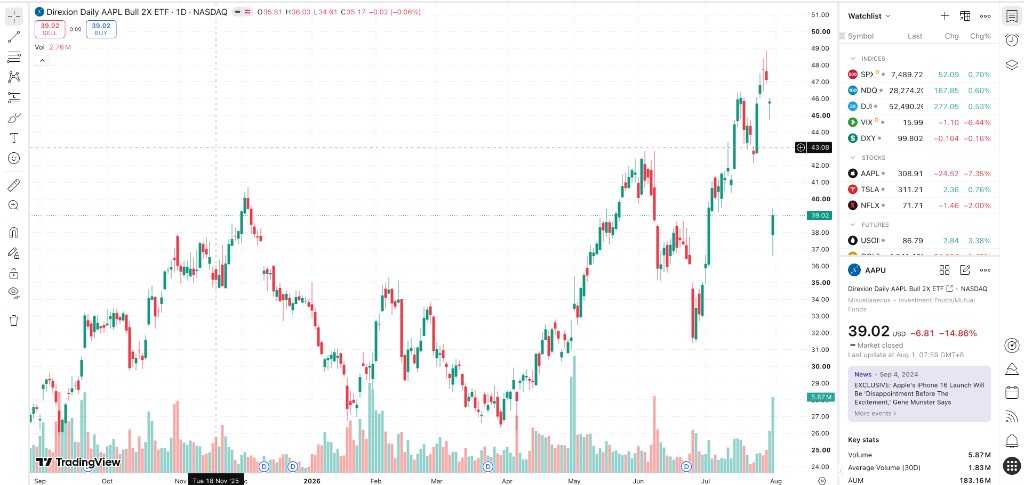
TradingView chart workspace with candlesticks, drawing tools, and a watchlist panel

Alerts

Price and condition alerts — stay informed without constant watching

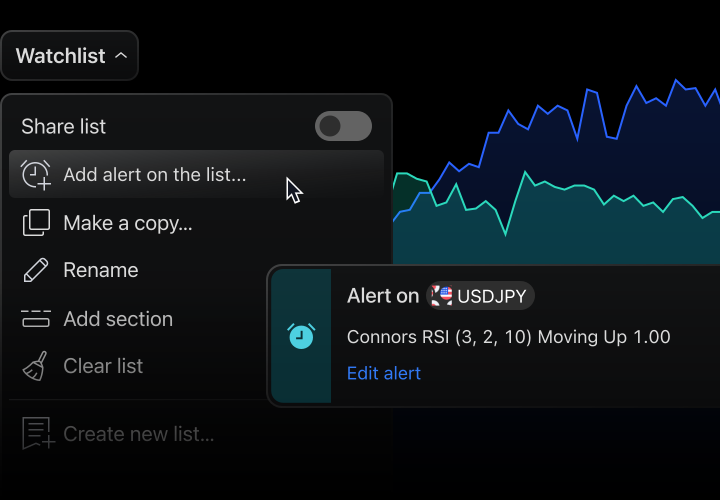
When price hits a key level or chart conditions are met, TradingView can notify you automatically so you focus on decisions instead of the screen. Use price alerts, technical condition alerts, and watchlist alerts — and receive them on web, desktop, and mobile.

  • Price alerts: trigger on reach, breakout, or breakdown of key levels
  • Condition alerts: notify when indicator or chart criteria are met
  • Watchlist alerts: apply the same logic across a group of symbols
  • Multi-device delivery: receive alerts on web, desktop, and mobile
  • Less screen time: key moves come to you instead of constant monitoring
TradingView alert example: price or condition alert popup on a watchlist

Market screener

Filter symbols by criteria and build watchlists faster

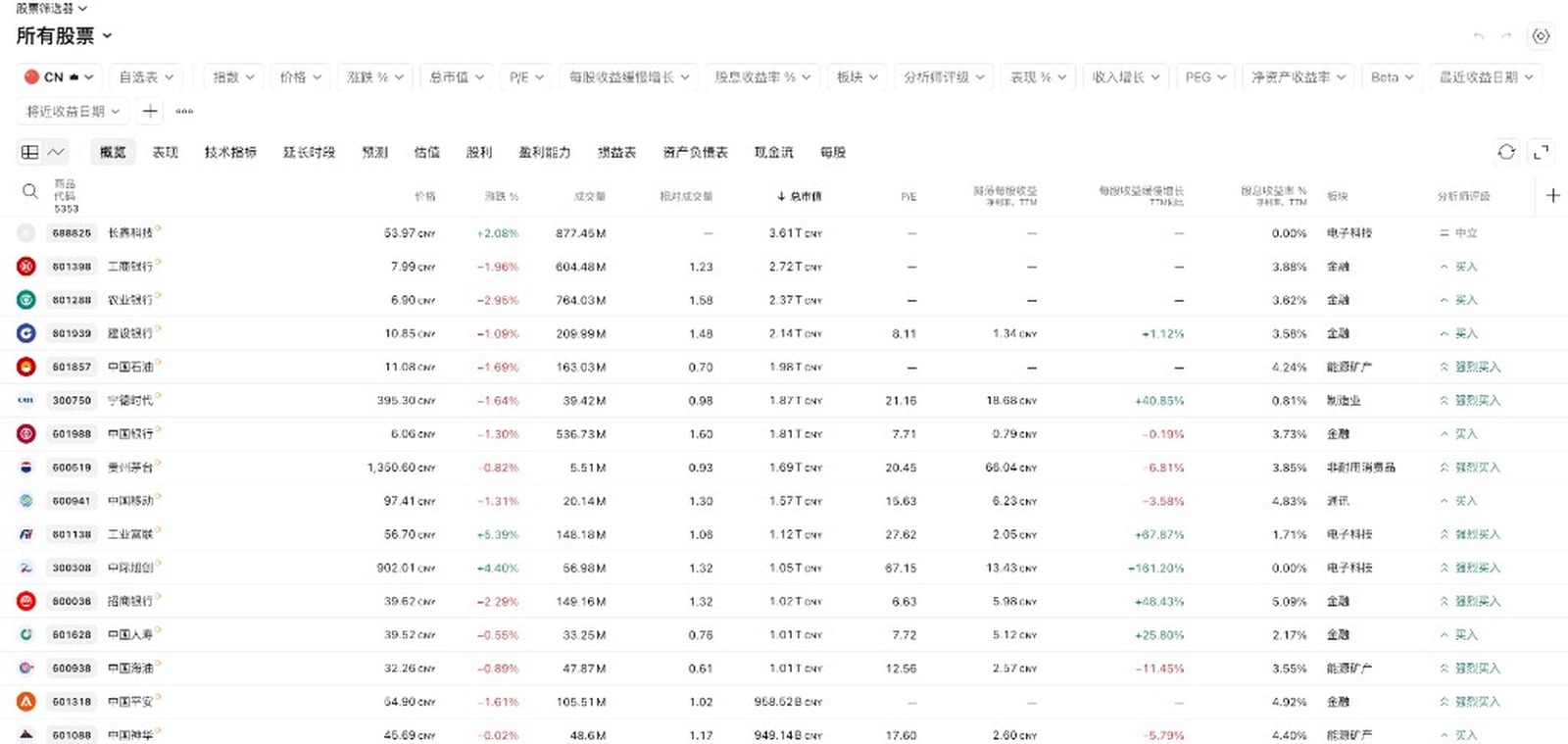
The market screener helps you narrow a large universe: combine technical, market, and fundamental filters to collect strategy-fit symbols in one list — then continue with charting or alerts.

  • Combine multiple filters: indicators, change %, volume, and more
  • Cover common markets such as stocks, forex, and crypto (subject to account availability)
  • Sort and compare results to spot priorities quickly
  • Send matches to a watchlist for monitoring and alerts
  • Save filter sets to reuse without rebuilding each time
TradingView stock screener with filters, overview table, and market-cap sorting

Multi-device download

Desktop, mobile, and browser — keep watching anywhere

Get Windows and macOS desktop apps, iOS and Android clients, or open charts in the browser. Layouts, watchlists, and settings stay synced with your account across devices.

  • Windows / macOS desktop apps for multi-monitor and long sessions
  • iOS / Android apps for checking markets and alerts on the go
  • Open charts in the browser with no install required
  • Sync layouts, watchlists, and settings across devices via your account
  • Links go to official channels; this site does not host installers

FAQ

TradingView FAQ before you start

What does TradingView do?

TradingView is a comprehensive platform for market data, charts, and technical analysis across securities and related markets. Common capabilities include charting, price and condition alerts, market screeners, and cross-device sync. See product documentation and the help center for details.

Which systems can I download TradingView on?

Desktop apps are available for Windows, macOS, and Linux, with browser access and iOS and Android mobile clients. Available instruments, data coverage, and features may vary by region, account type, regulatory requirements, and platform policies. Refer to each platform's current documentation and your account scope.

How are TradingView alerts different from watching the screen?

Price and condition alerts push notifications when preset price or technical criteria are met, reducing the need for continuous manual monitoring. Alert counts, condition types, channels, and usage limits depend on platform rules, account plans, and personal settings.

Who is TradingView for?

Suitable for users who track markets across multiple timeframes and lists, use screeners, and work across devices. The platform does not provide or replace professional investment or financial advice. Past performance, tool demonstrations, and any page content do not guarantee returns. All investment decisions are yours alone and carry associated risk.

What is the difference between TradingView free and paid plans?

Data coverage, features, and limits for free and paid tiers are defined on the pricing page. If terms change, the pricing page at the time of use governs.

Do I need to install the TradingView desktop app?

No. Most common tasks can be done in the browser. The desktop client is useful for multi-monitor layouts, multi-window workflows, and extended sessions.